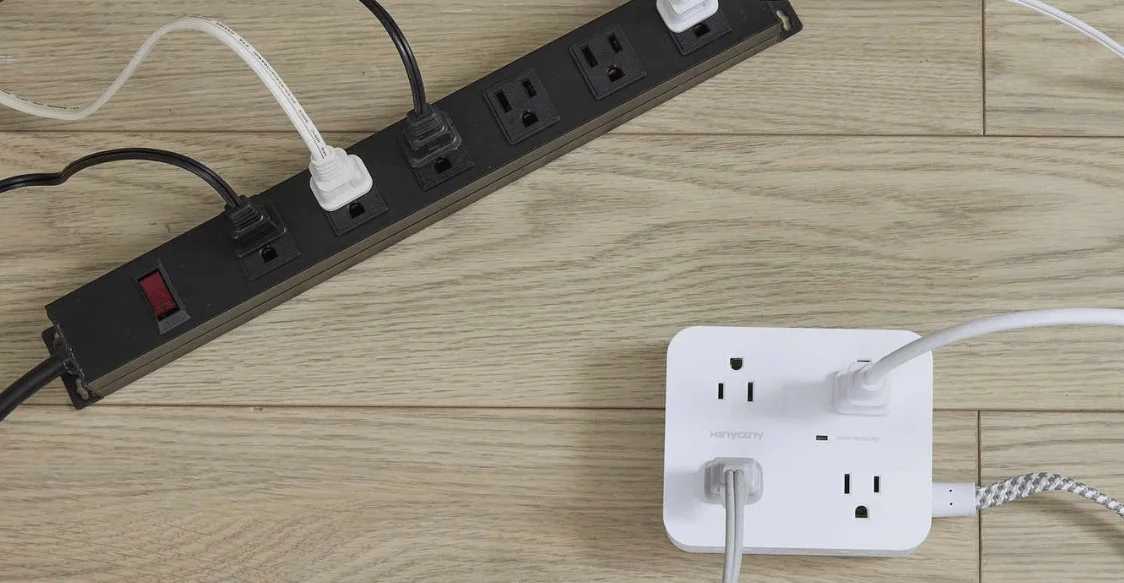
The Complete Guide to Types, Safety, Surge Protection, and Buying Tips. A power strip adds outlets where several low-demand devices need power from one wall receptacle. It does not automatically protect electronics from voltage surges. The safest choice matches your devices, location, electrical load, and needed protection.
Quick answer: Choose a listed outlet strip with enough receptacles, suitable cord length, and a rating above your planned load. Use certified surge protection for computers, TVs, and other sensitive electronics. Keep high-wattage heating appliances, damaged cords, wet locations, and daisy-chained strips out of the setup.
| Key point | What U.S. homeowners should know |
|---|---|
| Main job | Adds multiple receptacles from one wall outlet |
| Surge protection | Only included when the product specifically provides it |
| Safety standard | UL 1363 applies to relocatable power taps. |
| Surge standard | Surge-protective functions must also meet UL 1449. |
| Common home rating | Many general-use models are rated 15A at 125V. |
| Safe placement | Dry, open locations with the cord fully visible |
| Avoid | Daisy-chaining, damaged cords, covered cords, and overloaded setups |
Power Strip vs. Surge Protector: Know the Difference
Basic outlet strips distribute electricity to several connected devices. Surge-protecting models also limit damaging voltage spikes before they reach sensitive electronics. UL Solutions explains that surge protection is an added function, not a feature every strip provides.
| Type | Main benefit | Main limitation | Good fit |
|---|---|---|---|
| Basic outlet strip | Adds receptacles at low cost | No surge suppression | Lamps, chargers, and low-value devices |
| Surge-protecting strip | Adds outlets and surge defense | Protection components can wear with surge exposure. | Computers, TVs, consoles, and networking gear |
| USB charging strip | Reduces separate charging adapters | USB output may be too low for some laptops. | Desks, nightstands, and charging stations |
For most desks and entertainment centers, a listed surge-protecting model is the stronger choice. A basic strip still works for simple, low-risk loads that do not need surge protection. The label and certification matter more than the housing color or outlet count.
How to Choose the Right Power Strip for Your Setup
Start with the equipment you plan to connect, not the number of empty receptacles you want. Then check load, protection, spacing, cord length, and the product listing. This sequence reduces the chance of buying a unit that looks useful but fits poorly.
- List every device. Check each device label or manual for its electrical requirements.
- Add the expected load. Keep the total below the strip’s marked rating and the branch circuit’s limits.
- Choose surge protection when needed. Sensitive electronics usually benefit from a model designed and listed for surge suppression.
- Check outlet spacing. Wide spacing helps bulky adapters fit without blocking neighboring receptacles.
- Measure the cord path. Choose a cord that reaches without tension, coiling, pinching, or crossing walkways.
- Verify an independent listing. Look for a genuine certification mark on the product, not only marketing copy.
- Match the environment. Indoor strips belong in dry areas unless the product specifically carries another location rating.
UL identifies UL 1363 as the U.S. standard for relocatable power taps. If surge protection is built in, UL says that function must also comply with UL 1449. Those references give shoppers better evidence than vague claims such as “heavy duty” or “premium protection.”
What the Electrical Ratings Mean

Electrical ratings tell you how much current the unit is designed to handle. Many U.S. household models list 15 amps and 125 volts. That combination equals 1,875 watts under the basic watts-equals-volts-times-amps formula.
Do not treat 1,875 watts as a target to reach. Device startup behavior, continuous loads, branch-circuit loading, and manufacturer instructions still matter. When the setup approaches its rating, moving equipment to another wall circuit is the safer choice.
A resettable breaker is also useful because it can interrupt power during an overload. It does not make an overloaded setup acceptable for continued use. Repeated trips are a warning to reduce the load or investigate the circuit.
What Should Not Go on a Standard Outlet Strip
High-wattage heating appliances deserve special caution because they can consume much of a circuit’s capacity. Space heaters, hair dryers, toasters, and similar heating products can create heavy loads. Follow the appliance instructions, which often call for direct wall connection.
Large appliances also deserve their own installation plan instead of an improvised extension setup. Refrigerators, freezers, air conditioners, and fixed equipment can have startup or sustained loads. HausFixr’s water-softener installation guide shows why permanent equipment planning should include a suitable nearby power source.
Seven Safety Habits That Prevent Common Problems
Good safety depends on how you use the strip after purchase. Outlet count alone never tells you how much equipment the circuit can support. Use these habits to reduce heat, damage, and accidental overloads.
- Plug the unit directly into a suitable wall receptacle.
- Do not connect one strip to another strip or extension cord.
- Keep cords uncovered, visible, and away from rugs or furniture pressure.
- Replace units with cracked housings, loose receptacles, frayed insulation, or heat damage.
- Keep indoor models away from moisture, sinks, wet floors, and outdoor exposure.
- Leave space around the unit so heat can dissipate normally.
- Stop using the setup if plugs, cords, or the housing become unusually warm.
Daisy-chaining deserves special attention because it can hide the total load across several connected devices. Eaton advises against connecting strips because overheating and fire risk can increase. A long chain of outlets still draws through the original wall receptacle and branch circuit.
A recent recall also shows why internal safety features matter. In March 2026, the federal Consumer Product Safety Commission recalled CCCEI brand power strips that lacked supplementary overcurrent protection, citing a fire risk during overloads. Two reports of sparking and melting prompted that action, and no fires or injuries were reported.
Room-by-Room Buying Guide
The right features change with the location and connected equipment. A desk needs different spacing and protection than a workshop bench. This matrix helps match the design to the job instead of buying by outlet count alone.
| Location | Useful features | Better choice | Avoid |
|---|---|---|---|
| Home office | Surge protection, spaced outlets, USB-C, flat plug | Listed surge-protecting strip | Heater sharing the same strip |
| TV area | Surge protection, enough spacing, manageable cord length | Listed surge-protecting strip | Tight bundles behind hot equipment |
| Bedroom | Compact body, flat plug, USB charging | Basic or surge-protecting model | Pinched cord behind heavy furniture |
| Workshop | Durable housing, suitable current rating, mounting options | Application-rated strip | High-draw tools beyond listed limits |
| Holiday lighting | Weather-rated equipment and GFCI protection where required | Outdoor-rated equipment | Indoor strips exposed to rain |
| Bathroom or wet area | Proper fixed receptacles and GFCI protection | Permanent code-compliant outlet setup | Standard indoor strips near water |
HausFixr’s Why Hiring Professional Siding Companies Is the Smart Choice for Your Home guide covers damaged cords, outdoor ratings, and GFCI use around seasonal displays. Its Beadboard Ceiling guide also shows why water management and electrical planning must work together. These same principles matter whenever portable electrical equipment enters damp areas.
When Extra Outlets Signal a Bigger Electrical Problem
Several strips in one room can indicate that the home lacks enough conveniently located receptacles. Frequent breaker trips, warm outlets, scorch marks, or buzzing deserve professional attention. Adding more portable outlets does not add capacity to the branch circuit.
Permanent equipment should also have an appropriate power source planned with the installation. That is especially important for appliances, pumps, and systems that run for long periods. A qualified electrician can assess outlets, wiring, grounding, and circuit capacity when the existing setup seems inadequate.
Frequently Asked Questions
Can you plug one strip into another?
No. Manufacturers and safety guidance generally advise against daisy-chaining these devices. Plug each unit directly into a suitable wall receptacle instead.
Does every outlet strip protect electronics from surges?
No. A basic model can distribute electricity without providing surge suppression. Check the label, certification, and surge-protection specifications before assuming protection is included.
How long does a power strip last?
There is no single replacement age that applies to every unit. Replace damaged, overheated, loose, or unreliable equipment immediately. Surge-protecting models may also need replacement after significant surge exposure or when protection indicators fail.
Can an indoor model be used outside?
No, unless the product is specifically rated for that environment. Outdoor use can expose equipment to moisture, temperature changes, and physical damage. Use weather-rated products and follow local electrical requirements for outdoor receptacles.
The Bottom Line
Choose by load, certification, protection needs, cord length, and outlet spacing before considering appearance. For sensitive electronics, a listed surge-protecting model is usually the more useful home choice. For simple, low-demand devices, a listed basic strip can be enough.
Before buying, total the connected loads and read the markings on the unit. Replace damaged equipment instead of repairing or taping it for continued use. If breakers trip or outlets run warm, stop adding adapters and have the circuit evaluated.